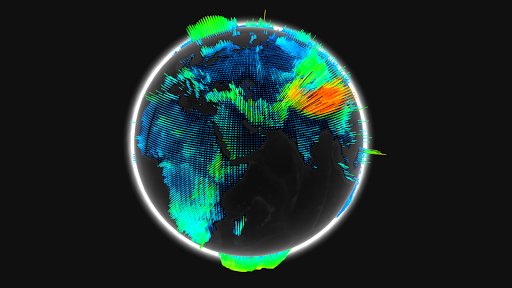
Jellyfish
January 10, 2011
Launch Experiment
Not working? This is a WebGL experiment, so try running it with Google Chrome.
From the Author:
Procedural modeling done with Side FX Houdini.
Exported with a Python exporter into json format.
Texture painted using Autodesk Mudbox.
Animated with a vertex shader.
Technology:
Houdini, Mudbox, Python, Javascript, WebGL
Comments
bravo majstore
Reply to this commentBravo majstore.
Reply to this commentVery good to use this program bcs so easy to find and get the coordinate where we are
Reply to this commentStunning. I wish I could download it as a desktop widget or a screensaver since it's constantly pulling live random data, it could be used to see how well the machine is running. Brilliant, just brilliant. Needs more stars!!! :)
Reply to this comment1234567890
Reply to this commentDobro je. Samo napred.
Reply to this commentUPDATE: I upgraded to Chromium 11.0.695.0 64-bit, and the FPS is no longer corrupted. I'm getting a solid 90-100 FPS now.
Reply to this commentI'm using Ubuntu 10.04 64-bit, I have an Nvidia 9800 GT, and an AMD Phenom II X4 @ 3.56 GHZ. I'm running Chromium 11.0.692.0 64-bit with all GPU options enabled. Everything runs beautifully, but the fps part is completely corrupted. If I quickly zoom in and out, it will say that it is around 85 fps.
Reply to this commentCompletely crashes the display driver on my Sony Vaio
Reply to this commentNice job! 60fps on OSX with a 5770
Reply to this commentHi! Glad to find WebGL is finally available in stable releases. Demos working in XP / Win7 with Quadro FX580 with no issues at all. Nice job!
Reply to this commentBeautiful! looks great, I cant wait to see app and games on the web that look and feel like native ones
Reply to this commentVery nice! On Ati Mobile Radeon HD 4650 at 60fps
Reply to this commentemm on iron 9.0.600
Reply to this commentgot 'could not initialize shaders' on win7 64bit radeon 4800
Reply to this commentWorks perfect on Iron browser (9.0.600) under Win7 and ATI Radeon x1600 at 60 fps
Reply to this commentWith Chromium 9 on Ubuntu 10.10, only a few splines appear (kind of the ones from the head of the jellyfish, rightern side). Not impressed, but that's probably a Linux-specific matter (WebGL has still to get a bit better supported)
Reply to this commentI just found out what was causing the shader errors before. It appears that some shader compilers have max instruction slots for a shader to use. My original shader had too many instructions so it wouldn't compile on some machines. If anybody gets "could not compile shaders" error again, please post it with your browser, OS and graphics card information. Thanks!
Reply to this commentWorks fine 60fps on chrome 9.0.597.86 with Win7 x64 and ATI HD4650 ^^
Reply to this commentJust tested it on nexus one / fennec browser. Works flawlessly at 4 fps.
Reply to this commentI have Windows 7 64 bit and it ran great on my system, could it be a video card limitation. Although with Chrome and an NVidia Video card it ran very well.
Reply to this commentawesome, runs at 60fps solid with cheap laptop integrated graphics :)
Reply to this commentAwesome! I bet it could run faster if it wasn't capped at 60 fps ;)
Reply to this commentAwesome!! Works perfectly in Chrome 9 beta. For the folks who are facing issues. Just to let you know, Chrome/FF uses Graphics hardware. So you may check if the hardware is available and supported.
Reply to this commentThere were some problems with the shader but that should be fixed now. Let me know if you still get the error message and I'll try to fix it.
Reply to this commentWOW!!! I got the shader problem too on regular Chrome so tried it with Chrome Canary build and it worked fine. beautiful work
Reply to this commentWorks flawlessly in Chrome 9 @100 fps - openSUSE 11.3 64bit, Nvidia 640M, Full HD
Reply to this commentShould have been Nvidia 460M of course...
Reply to this commentsame problem with shaders, grrr.
Reply to this commentI managed to reproduce the same problem on my frieds laptop. It turned out that shaders were to complex so they would not compile (on some machines). I removed debug options and specular contribution and it seams to work now.
Reply to this commentworks with ff4 beta 10, but crashes with chrome 9 on my computer (could not initialise shaders)
Reply to this commentit sais Could not initialise shaders
Reply to this commentI get "Could not initialise shaders", using latest stable Chrome (9.0.597.84), on Ati 5670 with driver 10.12 and 64bit Win7. Other experiments work normally.
Reply to this commentCould not initiate shaders. Vista SP2. Latest stable Chrome.
Reply to this commentWorks perfectly with Firefox 4 Beta 11pre. So, you don't even need Chrome, which btw is impossible to install under Slackware. Shame on you Google!! Look how Opera or Firefox is doing it! It always works, no matter what distro you are using!
Reply to this commentone word: A.M.A.Z.I.N.G.
Reply to this commentGraphics Card ist Nvidia Geforce 330M
Reply to this commentThis demo does not Work on Windows 7 64 Bit, Chrome Beta 9.0.597.67 -> "Could not initialize shaders"
Reply to this commentWow!
Reply to this commentWorks great for me ( chrome 10.0.630 on linux mandriva 64)
Reply to this commentCould not initialize Shader with 9.0.597.47 on Win XP SP2, dual core e6600, 3go ram and radeon 4850
Reply to this commentyep having same problem. xp sp3 here
Reply to this commentWorks beautifully for me (Chrome 10.0.628.0 dev and 10.0.634.0 canary and Firefox 4b8 / Win7 / Radeon 3650). Great work ;)
Reply to this commentShader prob too with 9.0.597.47 beta on win7/ Quadro NVS 160M
Reply to this commentI'M USE 9.0.597.47 beta AND SHOW ME "Could not initialize shaders" WHY??
Reply to this commentCan you run other demos?
Reply to this commentI am using Chrome 10.0.628.0 dev and I got a JAlert saying "Could not initialize shaders". I enabled WebGL too.
Reply to this commentInteresting, I just tested on 10.0.628.0 (Win7/Quadro FX 1800) and it worked. What is your OS/graphics card if you don't mind me asking?
Reply to this commentI'm his friend and I know he has Core 2 duo by Intel®. He has Windows® XP.
It doesn't work in chrome 9.0.597.45 beta on win xp. error i get is: "No webgl for you"
Reply to this commentUnfortunately, the latest version of Chrome Beta has WebGL temporarily disabled. Please type "about:flags" into your address bar and re-enable it. Thanks!
Reply to this commenthere unable to see webgl.... how to enable it?